Audio Forge Plugins: Open Source Stream Deck, OpenDeck Support and a New Foundry VTT Module
The Audio Forge Stream Deck plugin is now open source, it runs on OpenDeck, and a new Foundry VTT module brings scene audio, combat audio and online rooms to your virtual tabletop.
- authors
- Slashpaf
- published
Audio Forge has always been about keeping the audio out of your way while you run the game. Today it gets three new ways to do that: the Stream Deck plugin is now open source, it runs on OpenDeck, and there is a brand new Foundry VTT module.
Why Open Source?
All of these plugins talk to Audio Forge through its Local API, on your own computer. No cloud account, no extra service to host.
Putting the code on GitHub under the MIT license means you can see exactly what the plugins do, fix what annoys you, and use them as a starting point for your own integration. The Audio Forge name, branding and logo are not part of that license, but the code is yours to read and change.
- Stream Deck and OpenDeck plugin: github.com/Slashpaf/audioforge-streamdeck
- Foundry VTT module: github.com/Slashpaf/audioforge-foundryvtt
The Stream Deck Plugin
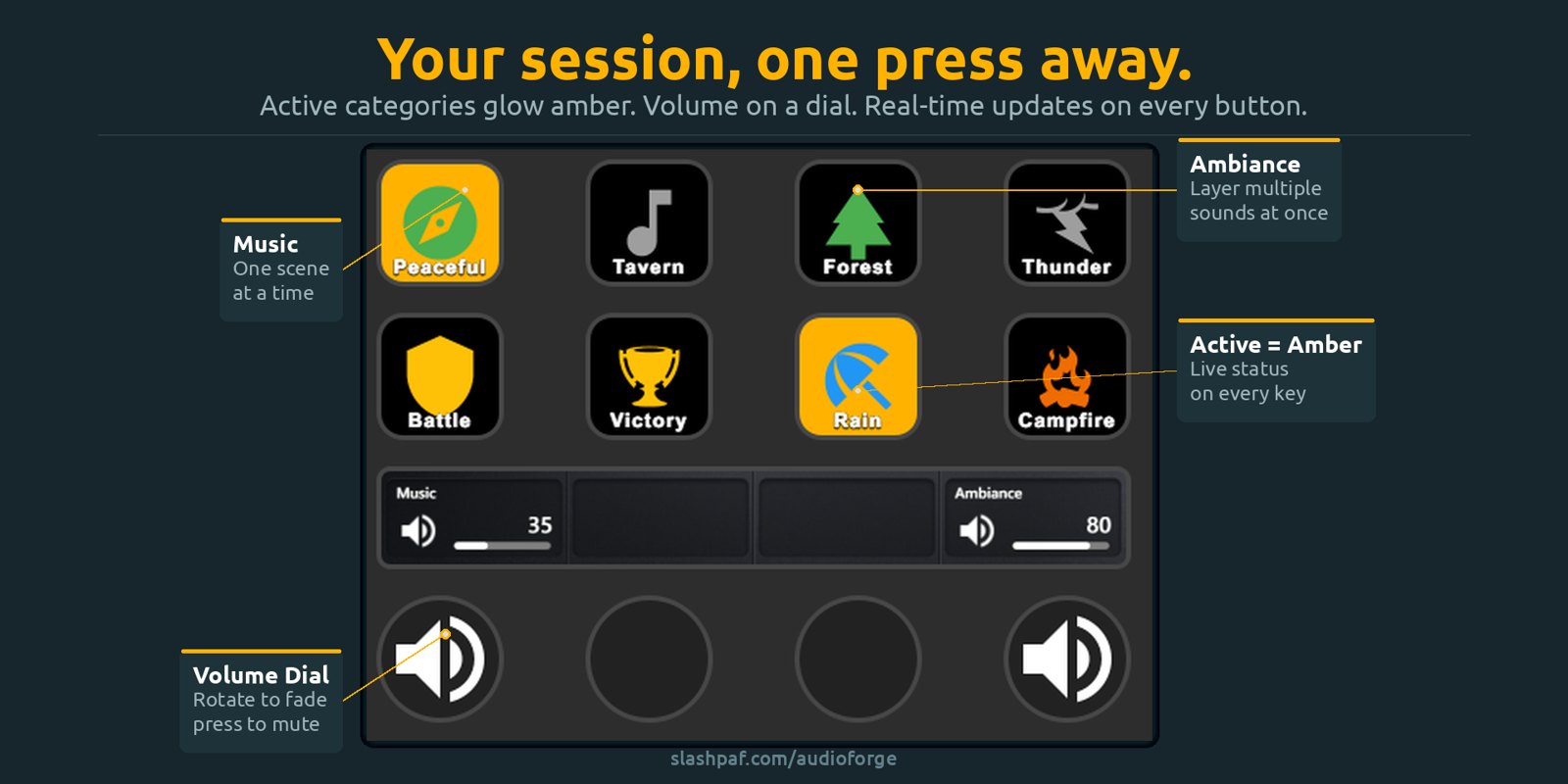
Your session, one press away. Category keys glow amber while they play, so you always see what is running. Volume sits on a dial, and the plugin covers play and pause, stop, categories, echoes, libraries and saved states.
The first public release also brings a few new things:
- Next Track: skip to the next track in the active Music or Ambiance categories.
- Volume per category: keys and dials can control a single category instead of the whole section.
- Echo keys that show what is happening: while an echo plays, the key fills in the category’s color over the length of the sound. A tap plays the echo, and a long press stops it.
- Echoes started in the app show up on the keys too.
It works with the Elgato Stream Deck on Windows and macOS. Get it from the Elgato Marketplace, or read the Stream Deck guide.
Now on OpenDeck
OpenDeck is the open-source alternative to the Stream Deck software, and it lets you use a Stream Deck on Linux. The same plugin now runs there.
Each release includes an OpenDeck archive, Audio-Forge-vX.Y.Z-opendeck.zip. Download it from the releases page, open the Plugins tab in OpenDeck and choose Install from file.
We have also submitted the plugin to OpenDeck’s plugin catalog. Once it is listed, you will be able to search for Audio Forge in the Plugins tab and install it from there, with updates handled for you.
The Foundry VTT Module
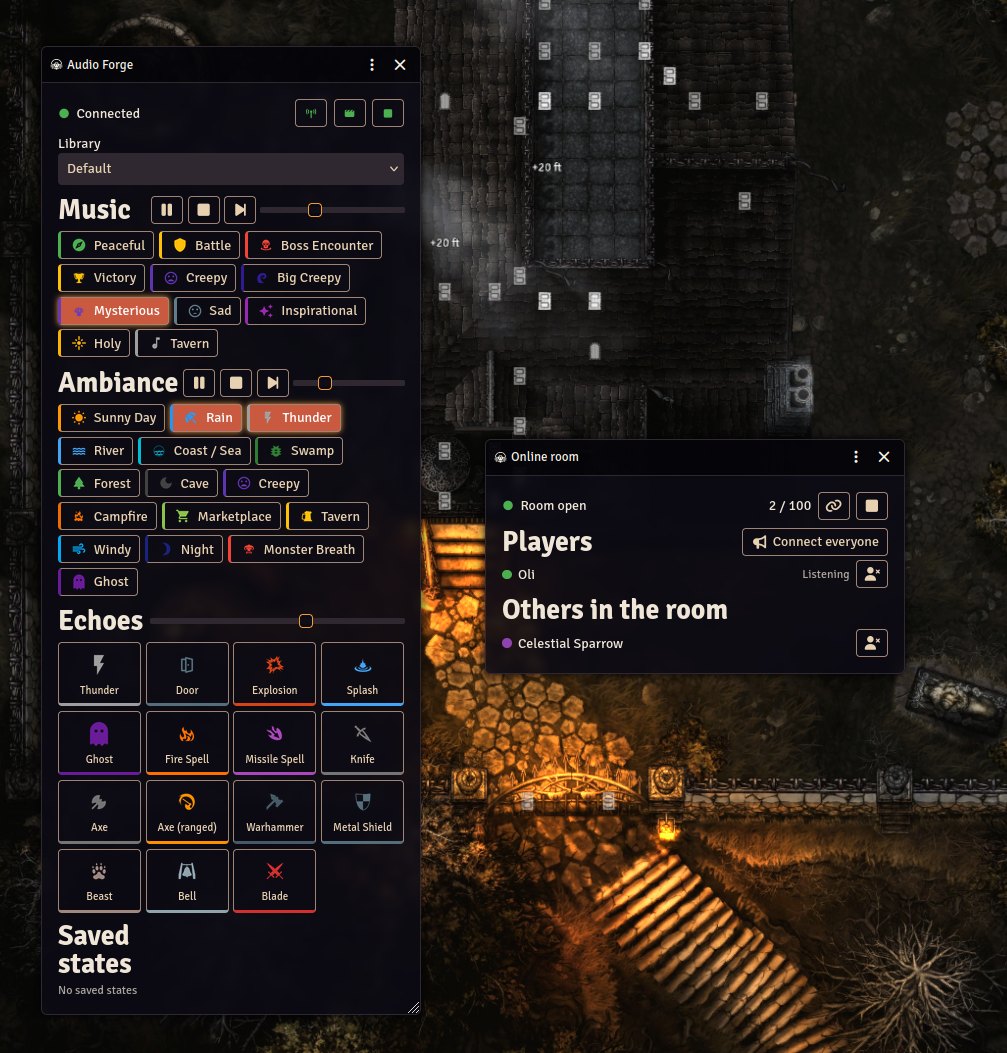
If you run your games in Foundry VTT, Audio Forge can now live inside your world.
- Scene audio: attach music and ambiance to a scene, or restore a saved Audio Forge state, and it starts when you activate the scene.
- Combat audio: separate profiles for when combat starts and when it ends.
- GM control panel: music, ambiance, echoes, volumes, categories and saved states, one
Alt+Aaway. - Online rooms: your players hear your Audio Forge output right inside Foundry, with nothing to install. The room opens by itself while players are connected and closes when everyone has left. You can see who is listening, remove someone, and share the room link with a guest who is not in your world.
- Macros: trigger sounds from your own Foundry macros.
To install it, open Add-on Modules in Foundry, click Install Module and paste this manifest URL:
https://github.com/Slashpaf/audioforge-foundryvtt/releases/latest/download/module.json
The Foundry VTT guide walks through the setup, scene and combat profiles, and the online room.
Build Your Own
The Local API is documented, and the plugins are real-world examples of how to use it. If you have a favorite control surface, a streaming overlay or a home-automation setup you would like to connect, the Local API reference is the place to start. Pull requests and ideas are welcome on both repositories.
Get the Plugins
Everything is listed in one place:
Questions, feedback, or something you would like to see on your deck or in your Foundry world? Join the community on Discord.
If you are new to Audio Forge, it is a flexible, GM-friendly soundboard for TTRPGs. You can import your own audio, layer music and ambiance, trigger one-shots, and save full scenes. Download Audio Forge and try it with your next session.